a8pay App — Your Casino in Your Pocket
The a8pay app brings the full casino experience to your Android phone. Slots, live tables, Crash games — all with bKash and Nagad payments. Free to download, works on Android 8.0 and above.
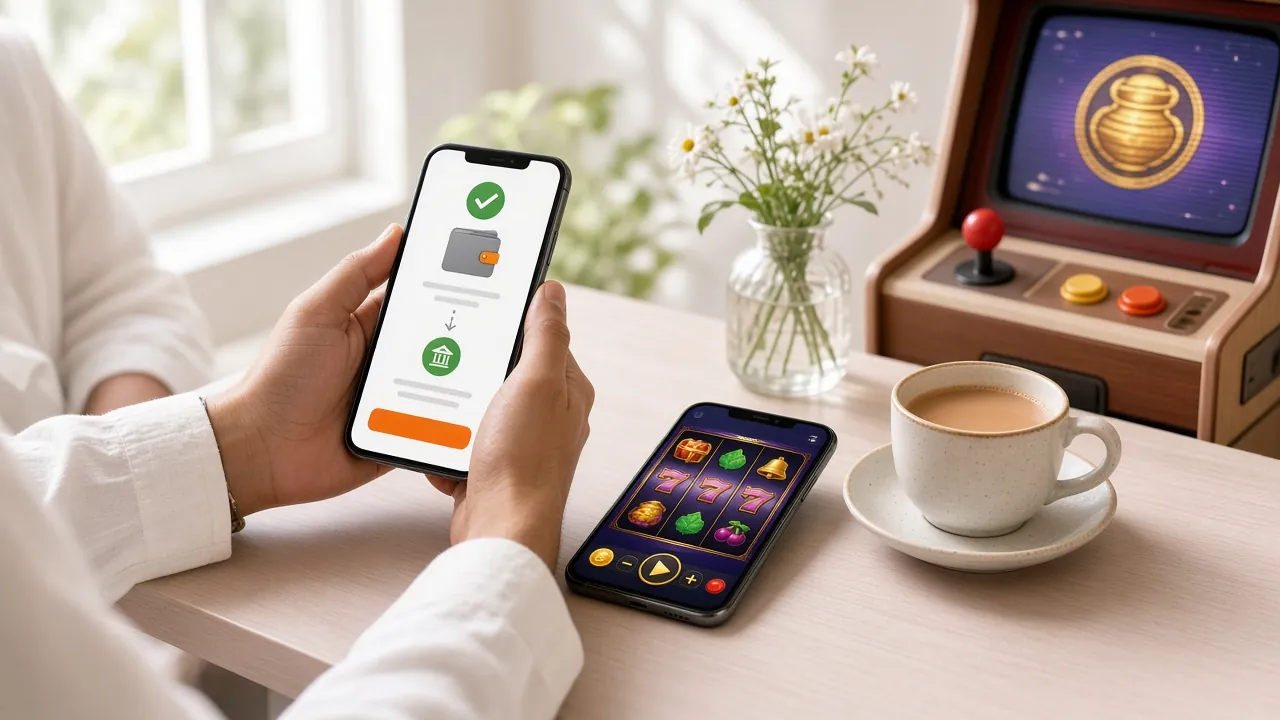
What You Get in the App
Over 2,300 Games On One Screen
The a8pay app loads the full game library — slots, live casino, card games, Crash, and more. Filter by provider, type, or RTP. No separate app needed for different categories. Everything in one place, loading fast on mobile data or Wi-Fi.
Instant bKash & Nagad Deposits
Tap the deposit button, choose bKash, Nagad, Rocket, or Upay, and your balance updates in about 1 minute. The app links directly to your mobile banking app — no browser redirect, no copy-pasting numbers. Minimum deposit is ৳300.
Live Tables Running 24/7
Evolution and Sexy Gaming dealers stream around the clock. Teen Patti, Andar Bahar, baccarat, and roulette with Bangladeshi dealers available during peak hours. The app keeps the video stream smooth even on a 4G connection — stream quality auto-adjusts.
Push Notifications for Bonuses
Turn on notifications and the app pings you when a reload bonus drops, when your cashback is credited, or when a Crash round with high multipliers is running. You can manage which notifications to allow in the app settings at any time.
Your Account, Fully Secure
Log in with your a8pay username and password. The session token stays encrypted on your device. If you switch phones, just log in again — your balance, transaction history, and VIP tier all carry over instantly. No data is stored locally after logout.
Update in Seconds, No App Store Needed
When a new version is out, the app shows a banner with a direct download link. Tap, install over the existing version — your account and history stay intact. Version 2.0.20 is the current release, last updated 10 November 2026. No Google Play needed.
App vs Browser — Side by Side
Both the app and the browser version use the same account and wallet. The differences are about speed, convenience, and a few extra features the app can do that a browser cannot.
| Feature | a8pay App | Mobile Browser | Desktop Browser |
|---|---|---|---|
| Download required | 32 MB APK | No | No |
| Push notifications | Yes | No | No |
| One-tap bKash deposit | Yes | Yes | Yes |
| Live casino streaming | Optimised | Standard | Full HD |
| Crash games | Yes | Yes | Yes |
| Auto-login (saved session) | Yes | Clears on browser close | Clears on browser close |
| Works offline (lobby cache) | Partial cache | No | No |
| iOS support | Android only | Yes (Safari) | Yes |
| Full game count | 2,300+ | 2,300+ | 2,300+ |
| Bonus & VIP access | Yes | Yes | Yes |
iOS users: use Safari on your iPhone and add the site to your home screen for the fastest browser experience. See the iOS steps section below.
Security & Permissions the App Requests
Before you install any APK, knowing what it asks for is fair. Here is a straight breakdown of what the a8pay app needs and why.
Internet Access
Required to load games, process payments, and connect to live-dealer streams. The app never accesses your internet history or other apps' traffic. All data between your phone and a8pay servers travels over TLS/SSL encryption — the same standard banks use. Without this permission, the app cannot open at all.
Notifications (Optional)
Used only for bonus alerts, deposit confirmations, and withdrawal status updates. This permission is optional — you can deny it at install time and still use all casino and payment features. You can toggle notifications off in your Android system settings at any point without affecting your account.
No Camera, No Contacts, No Location
The a8pay app does not request access to your camera, microphone, contacts list, SMS, or GPS location. During KYC verification you upload documents from your photo gallery — that upload uses the standard Android file picker, which does not grant the app permanent access to your storage. Your personal files stay private.
APK Source Verification
Only download from a8pay.win/download/a8pay.apk — the link on this page. Do not install APK files shared in WhatsApp groups or Telegram channels, as those are often modified. After downloading, check that the file is exactly 32 MB. If the size differs, delete it and download again from this page.
System Requirements & Version Info
The a8pay app is a lightweight package at 32 MB — most Android phones from 2018 onwards can run it without any issues. Check the table below before you download.
| Detail | Specification |
|---|---|
| App Name | a8pay |
| Current Version | 2.0.20 |
| File Size | 32 MB |
| File Name | a8pay.apk |
| Minimum Android Version | Android 8.0 (Oreo) |
| Recommended Android Version | Android 10 or above |
| iOS Support | Browser (Safari) + Add to Home Screen |
| Language | English / Bangla |
| Price | Free |
| Last Updated | 10 November 2026 |
| Developer | a8pay |
| Requires Registration | Yes — create a free account |
Step-by-Step: Android APK Setup
Scan with your camera to download on your phone
-
1
Allow Installation from Unknown Sources
Go to your phone's Settings → Apps → Special App Access → Install Unknown Apps. Find your browser (Chrome, Firefox, or the Samsung browser) and toggle "Allow from this source" to ON. This is a one-time setting. Android calls it "unknown" because the APK isn't from Google Play — it is completely safe to allow for your browser only, then turn it off again after installing.
-
2
Download the a8pay APK
Tap the Download APK button on this page (or use the QR code). Your browser downloads the file to your phone's Downloads folder. The download is 32 MB and takes about 20–30 seconds on a 4G connection. You can watch the progress in your browser's notification bar. Do not close the browser while downloading.
-
3
Open the APK and Tap Install
Once the download finishes, tap "Open" in the browser notification, or open your Files app and find the APK in the Downloads folder. Android shows an install screen listing the permissions the app needs. Tap "Install." The process takes about 10 seconds. You do not need to uninstall an older version first — the new version installs over it and keeps your account data.
-
4
Open the App and Log In
Find the a8pay icon on your home screen or app drawer and tap it. Enter your username and password. If you have not registered yet, tap "Create Account" on the login screen — it takes under two minutes with just a phone number. After logging in, your full balance, bonuses, and VIP status appear immediately. Go to Login page for more help.
-
5
Make a Deposit and Start Playing
Tap the Deposit button in the app, choose bKash, Nagad, Rocket, Upay, or Bank Transfer. Enter an amount (minimum ৳300) and confirm in your mobile banking app. The balance updates in about 1 minute. Your first deposit activates the 185% welcome bonus, up to ৳19,500. Head to the casino lobby and pick any of the 2,300+ games. Browse the casino to see what's available.
iOS Users: Add a8pay to Your Home Screen
There is no iOS App Store version of a8pay. The best iPhone experience is the mobile site via Safari, saved to your home screen — it loads and behaves very close to a native app.
- Open a8pay.win in Safari on your iPhone or iPad.
- Tap the Share button at the bottom of Safari (the square with an arrow pointing up).
- Scroll down and tap Add to Home Screen.
- Name it "a8pay" and tap Add.
- The a8pay icon now appears on your home screen. Tap it to launch the site full-screen, without the Safari address bar. All features — deposits, live casino, bonuses — work the same way.
Games You Can Play Right Now
The full game lobby is available in the app. Below are some popular picks — from slots with high RTP to live card games. Tap any game to open the a8pay casino lobby and explore all categories.


Over 2,300 games available in the app. See the full casino lobby for all categories and providers.
Download the a8pay App
Android APK — Ready to Install
Download directly to your Android phone. No app store, no waiting for approval. File is clean, tested on Android 8.0 through Android 14. Already have a previous version? Installing this APK updates it without erasing your account.
Download a8pay.apkScan on your Android phone to start downloading
No account yet? Register free before you install — your account waits for you in the app.
If Something Goes Wrong During Installation
Most install problems come down to one of five causes. Find yours in the table and follow the fix — it usually takes under two minutes.
| Problem | Most Likely Cause | What to Do |
|---|---|---|
| "Install blocked" message | Android's "Install Unknown Apps" permission is OFF for your browser or file manager. | Go to Settings → Apps → Special App Access → Install Unknown Apps. Find your browser and enable "Allow from this source." Then try installing the APK again from your Downloads folder. |
| APK download stops midway | Weak mobile data or the download link timed out before finishing. | Switch to Wi-Fi if possible. Delete the incomplete APK file from your Downloads folder, then tap the Download button on this page again. The file is 32 MB and needs a stable connection for the full download. |
| "App not installed" after tapping Install | An older, corrupted version of a8pay is on the phone, or insufficient storage space. | Go to Settings → Apps, find any existing a8pay installation, and uninstall it completely. Also check that you have at least 100 MB of free storage. Then reinstall the freshly downloaded APK. |
| App opens but shows blank white screen | Cache conflict from a previous version, or the app needs a stable internet connection to load the game lobby. | Close the app fully (swipe it away from recent apps). Clear the app cache in Settings → Apps → a8pay → Storage → Clear Cache. Reopen the app on a 4G or Wi-Fi connection. If still blank, uninstall, download the latest APK, and reinstall. |
| Login fails after install | Wrong password, or you registered on the browser but have not verified your phone number yet. | Use the "Forgot Password" link on the login screen to reset via SMS. If you have not registered yet, tap "Create Account" — registration is free and takes about two minutes. Need help? Contact 24/7 live chat from inside the app. |
Questions About the a8pay App
Is the a8pay APK file safe to download?
Yes, when you download from a8pay.win/download/a8pay.apk — the official link on this page. The file is scanned and hosted on the same server as the main website. The download is served over HTTPS, so it cannot be tampered with in transit. The app only requests internet access and optional push notifications — no camera, no contacts, no SMS. If you are ever unsure, check that the file size is exactly 32 MB before installing. Files from third-party Telegram groups or mirror sites are not verified by us.
Why is the a8pay app not on Google Play or the Apple App Store?
Google Play and Apple App Store have specific regional restrictions for real-money gaming apps in certain markets, including Bangladesh. Distributing the a8pay app as a direct APK is completely legal for the user to install. It also means updates roll out faster — you get a new version the same day it is ready, without waiting for a store review cycle. For Apple users, the Safari "Add to Home Screen" method gives you an equivalent experience on iPhone and iPad without needing the App Store.
How do I update the a8pay app when a new version is released?
When a new version is available, the app shows a banner at the top of the lobby screen with a "Update Now" button. Tap it — the download starts inside the app and takes about 30 seconds on 4G. Once the download finishes, tap Install. The update installs over the existing version without affecting your balance, transaction history, or VIP tier. You can also check the current version inside the app: go to Settings → About → App Version. If your version number is lower than 2.0.20, download the latest APK from this page.
Can I use the app and the browser at the same time on different devices?
Your a8pay account works on multiple devices — the app on your phone and the browser on your computer can be open simultaneously. Your wallet balance is shared in real time, so a deposit made on one device shows up on the other within seconds. However, for security reasons, only one active game session is allowed at a time. If you start a slot game on the app, opening the same game in a browser will close the app session. Live chat, deposits, and account management can run in parallel without any issue.
What happens to my a8pay app if I lose or change my phone?
Your account, balance, and VIP tier are stored on a8pay servers — not on your phone. If you lose your phone or switch to a new one, simply download the a8pay APK on the new device and log in with your username and password. Everything picks up exactly where you left off. If you have forgotten your password, use the "Forgot Password" option on the login screen to reset it via your registered phone number. It is a good idea to have your login details saved somewhere separate from your phone.
Does the app work on a cheap Android phone with limited RAM?
The a8pay app is designed to run on entry-level Android phones. It requires Android 8.0 or above, which covers most phones sold in Bangladesh from 2018 onwards — including popular Walton, Symphony, and Samsung Galaxy A-series models with 2 GB RAM. Slots and card games load fine on a 2 GB device. For live-dealer games with video streaming, a 3 GB RAM phone on a 4G connection gives the best experience. If a game stutters, reduce video quality in the game's settings menu.
Can I deposit with bKash directly in the app?
Yes. The app's payment flow is built for bKash, Nagad, Rocket, and Upay. After tapping Deposit, choose your method — the app opens your mobile banking app directly (or shows the bKash number to send to). The minimum deposit is ৳300. Funds arrive in about 1 minute. For Bank Transfer, processing takes a bit longer. The app shows your full transaction history in the wallet section, so you can confirm every deposit and withdrawal. For a full guide on deposits, see the a8pay Deposit Guide.
- 18+ Only
- SSL Encrypted
- 24/7 Support
- bKash
- Nagad
- Rocket
- Bank Transfer
- Upay